OUR PRODUCTS
Uberr Clone AppGojek Clone AppSuper App DevelopmentUberr Eats Clone AppGrocery App DevelopmentHandyman App Like Uberr
inDriver Clone AppDelivery App DevelopmentGlovo Clone AppBolt Clone AppLyft Clone AppCareem Clone App
OUR PRODUCTS

← Back to Blog
September 9, 2026
A practical guide to delivery confirmation software, covering core features, operational workflow, business benefits, implementation practices, and common mistakes.
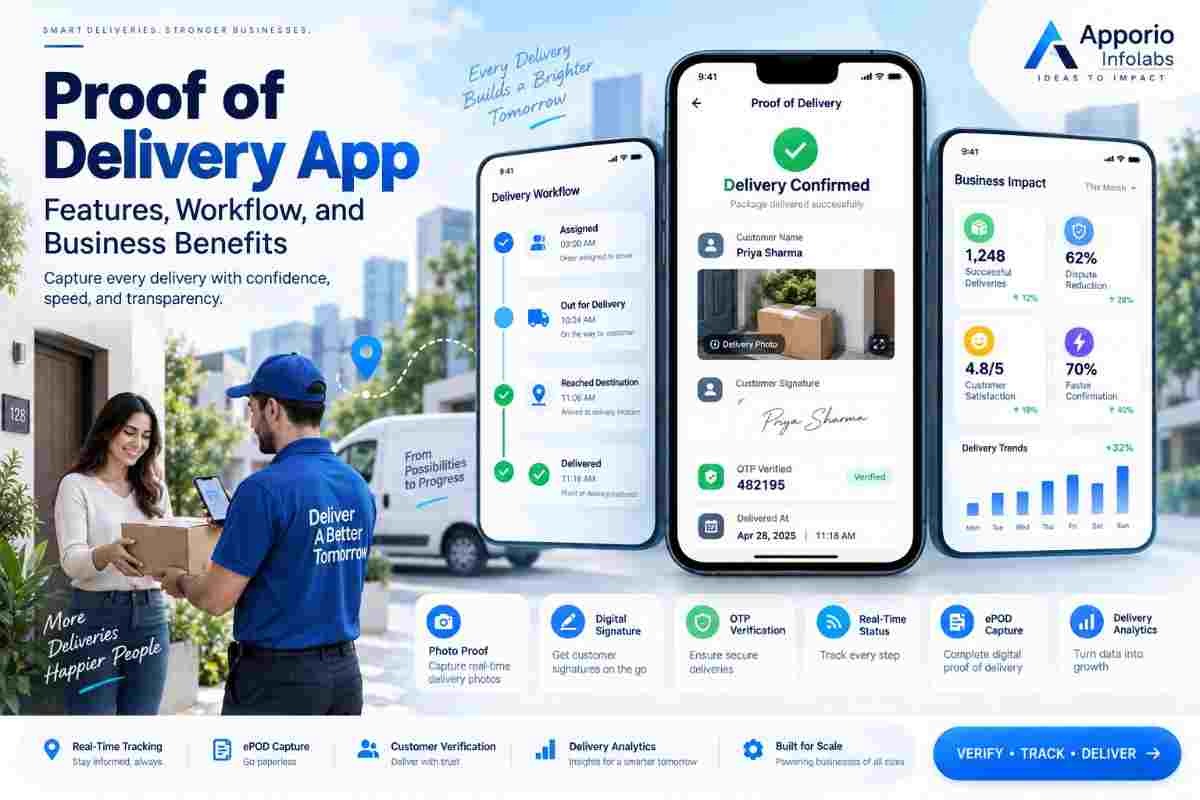
A proof of delivery app gives delivery businesses a structured way to record when, where, and how an order reached its recipient. Instead of relying on paper forms, phone calls, or unverified status updates, the platform captures delivery evidence inside a digital workflow.
This matters for courier companies, food delivery operators, grocery platforms, retailers, wholesalers, and logistics providers. A well-designed system can capture signatures, photographs, timestamps, location data, recipient details, and delivery notes. It can also connect those records with order management, driver operations, customer support, and billing processes.
For buyers evaluating this type of software, the key question is not simply how many features are listed. The more important question is whether the product can create reliable evidence without slowing down drivers or creating extra work for dispatch teams. This guide explains the operating model, essential capabilities, business value, implementation steps, and selection criteria.
A proof of delivery app is mobile and administrative software that records evidence that a shipment, order, or service item was delivered. The driver or field worker uses a mobile interface to update the delivery status and collect confirmation from the recipient. The business can then access the record through an operations dashboard.
The record usually includes several data points rather than one standalone confirmation. These can include the order number, recipient name, delivery address, date, time, driver identity, GPS position, signature, photo, barcode scan, and exception notes. The exact combination depends on the delivery model and the risk associated with the goods.
Courier and logistics companies use it to manage shipments across multiple routes. Food and grocery businesses use it to verify handoffs at homes, offices, and pickup points. Retailers and wholesalers use it to confirm business-to-business deliveries, including cases where a receiver accepts only part of an order.
Handyman and field-service companies can apply similar workflows when a worker completes a job and the customer confirms the result. In that setting, evidence may include before-and-after photographs, a completion signature, service notes, and the time the worker left the location.
Reliability comes from combining multiple signals. A typed status such as “delivered” is easy to enter but provides limited evidence. A timestamp, GPS position, recipient signature, image, and exception reason create a much stronger operational record.
Businesses should also define retention rules, access permissions, and procedures for correcting inaccurate information. A digital record is useful only when staff can find it quickly and trust how it was created.
Delivery disputes often occur after the driver has left the location. A recipient may report that an order was not received, a package may be left with a building receptionist, or a business may claim that only some items arrived. Without structured evidence, support staff must reconstruct events from calls, messages, and driver memory.
Digital delivery confirmation changes that process. Support teams can review the order record, inspect the image, check the location captured at completion, and see any note entered by the driver. This does not remove every dispute, but it gives the business a consistent basis for investigation.
The data also supports operational control. Managers can identify repeated failed deliveries, compare planned and actual completion times, review driver compliance, and find locations that create delays. These insights are valuable when expanding to new service areas because operational problems become visible before they affect a larger customer base.
For businesses developing a wider delivery operation, logistics app development can connect delivery evidence with dispatching, route planning, shipment tracking, and administrative reporting. The right structure helps prevent the confirmation process from becoming an isolated feature that staff must manage separately.
The value of delivery evidence is practical. It improves accountability between the customer, driver, merchant, and platform. It also gives management better information for deciding where to adjust processes.
These benefits depend on adoption. If drivers find the interface slow or difficult to use, they may skip required fields or enter vague notes. The product therefore needs a short completion flow that works under real conditions, including poor connectivity, low battery, traffic pressure, and unfamiliar delivery locations.
A strong workflow starts before the driver reaches the destination. Each stage should have a clear purpose and a defined owner. The platform should also record exceptions instead of forcing staff to mark every order as successfully completed.
This workflow should be tested with normal deliveries and difficult cases. A successful product design accounts for apartment buildings, office reception areas, gated communities, contactless handoffs, multiple packages, refused deliveries, and partial acceptance.
Drivers often complete confirmation while standing outside a property or managing several items. Keep the number of screens low, use clear labels, and place the primary action where it is easy to reach. Avoid long forms that encourage incomplete or inaccurate data.
Use conditional fields instead of presenting every option on every order. A signature may be required for one category, while a photo or barcode scan may be more suitable for another. The system should make the required action obvious before the driver reaches the destination.
Mobile coverage varies across countries, suburbs, industrial areas, and building interiors. The application should temporarily store delivery events, images, and notes when the device is offline. It must then synchronize safely without creating duplicate records.
Show the driver which information is saved locally and which updates are waiting to sync. A clear sync status prevents workers from repeatedly submitting the same confirmation or assuming that a completed record has already reached the server.
Not every delivery needs the same level of verification. A low-value meal may need a handoff status and time, while expensive electronics, controlled goods, or wholesale inventory may need a signature, identity check, photo, and item scan.
Risk-based rules reduce unnecessary friction while protecting the transactions most likely to create financial or legal exposure. Managers should be able to configure these rules by order type, merchant, location, or service level.
Delivery records can contain names, addresses, phone numbers, photographs, signatures, and location data. Apply role-based access so drivers, support agents, merchants, and administrators see only what they need. Use secure authentication, encrypted transmission, controlled storage, and defined retention periods.
Security should be included in the architecture rather than added after launch. Apporio's cyber security services can be relevant when a delivery platform needs a formal review of access controls, data handling, and application risks.
A high completion rate can hide operational problems if failed attempts are coded inaccurately. Track reasons such as wrong address, recipient unavailable, damaged package, refused order, restricted access, and driver delay.
Review these reasons by area, merchant, time period, and driver group. The resulting patterns can guide better address collection, customer messaging, route planning, and staffing decisions.
Decide which systems will create orders, assign work, process payments, send notifications, and store customer information. Define the data exchanged between them, including order status, item details, evidence files, and exception codes.
For businesses launching a broader marketplace or delivery operation, delivery app development should account for customer, driver, merchant, and administrator workflows from the beginning. This avoids building a confirmation module that cannot communicate with the rest of the platform.
Many delivery software projects fail operationally even when the feature list looks complete. The problems usually come from weak process design, poor edge-case handling, or an interface that does not fit the driver's working environment.
Before launch, run a controlled pilot with real drivers and representative delivery locations. Observe how long confirmation takes, which fields are misunderstood, and what happens when a customer refuses to sign. Correcting these issues early is usually less costly than changing habits across an established delivery network.
Businesses can record delivery evidence in several ways. The right choice depends on order volume, delivery risk, existing systems, and the level of operational control required.
| Approach | Evidence Quality | Operational Visibility | Best Fit |
|---|---|---|---|
| Paper delivery notes | Physical signature or written note, with risk of loss or damage | Low until staff manually enter the information | Small operations with limited delivery volume |
| Phone or messaging confirmation | Depends on screenshots, call records, or staff notes | Low and difficult to standardize | Temporary processes or exceptional cases |
| Basic status feature | Records completion time but may lack recipient or location evidence | Moderate for simple order tracking | Low-risk deliveries with established support processes |
| Dedicated delivery confirmation software | Can combine signatures, images, GPS, scans, timestamps, and notes | High when connected to dispatch and order systems | Growing courier, retail, grocery, food, and logistics businesses |
A dedicated system is not automatically the best option for every business. It becomes more valuable as delivery volume, geographic coverage, dispute frequency, and coordination needs increase. During vendor evaluation, ask to see the full workflow rather than only a presentation of individual features.
A proof of delivery app should do more than mark an order as complete. It should create trustworthy evidence, support offline work, handle exceptions, protect personal data, and give operations teams information they can act on.
Businesses comparing vendors should assess the driver experience, administrative dashboard, integration model, evidence rules, audit trail, and support for multiple markets. Apporio Infolabs can support this work through Logistics App Development, Delivery App Development, and On-Demand Mobile App Development. Cyber Security can also be included when the platform handles customer identities, delivery addresses, signatures, and location records.
It can record the order ID, recipient details, delivery time, GPS position, driver identity, signature, photograph, barcode scan, and notes. Businesses can configure the required evidence according to order type and delivery risk.
Yes, a properly designed mobile application can store delivery events locally when connectivity is unavailable and synchronize them when the device reconnects. The synchronization process should prevent duplicate records and clearly show pending updates.
It gives support teams a consistent record to review, including timestamps, location data, images, signatures, and exception notes. This does not prevent every dispute, but it reduces dependence on memory, paper documents, and informal messages.
No. The requirement depends on the goods, customer agreement, service model, and risk level. Low-risk deliveries may use a status and time, while high-value or business deliveries may require signatures, photos, identity checks, or item scans.
Review the driver workflow, offline capability, evidence configuration, exception handling, dashboard reporting, integrations, user permissions, security controls, data retention, and support for the markets where the business operates.